
 By Paul Walker
Instagram is a powerful platform for edupreneurs, online instructors, and training companies to connect with learners. With over 3 billion monthly active users on Instagram in 2026(and many actively searching for educational content and brands), it’s crucial to make a strong first impression.
Your Instagram profile condenses who you are into a small space, giving visitors an instant sense of your brand’s identity. In other words, an optimized Instagram profile for eLearning can be a real student magnet, attracting prospective students or clients at a glance.
Below, we’ll walk through a step-by-step guide full of Instagram profile tips for online course creators, corporate trainers, and education brands. By following these steps, you can grow your eLearning audience with profile optimization and leverage the importance of social media in education marketing to drive course enrollments and engagement.
1. Switch to an Instagram Business (Professional) Account
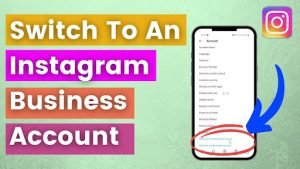
Start with the right foundation by converting your account to a Business or Creator profile if you haven’t already. Instagram requires you to set up a personal account first, then convert it to a business account, you can’t create a business profile directly.
A professional account unlocks valuable features for educators and eLearning brands, like analytics (Insights), profile contact buttons, and ad tools. It also lets you choose a category label for your profile (e.g., Education, Coach/Teacher, etc.), which appears under your name.
Selecting an appropriate category helps Instagram understand your niche and can even influence discoverability among users interested in that field. In short, an eLearning brand Instagram setup should begin with a professional account to appear credible and gain access to all necessary tools.
Username and display name best practices: Make sure your handle clearly reflects your brand or expertise. Keep it simple, relevant, and easy to remember, avoid random numbers or symbols. For example, @LearnSpanishWithMaria works better than @maria_teaches123.
If possible, use the same username across platforms so your Instagram username for your education brand matches your website and other socials. In your profile’s Name field, include your actual name or brand plus a niche keyword (e.g., ‘Jane Doe | ESL Teacher’) for Instagram SEO.
Fill out location and profile info: If your services are location-specific, consider adding a location to your bio. Fully completing your profile, including business hours for an academy, contributes to a professional Instagram profile in the education industry that viewers trust at first glance.
2. Nail Your Profile Picture and Branding
Your profile photo is one of the first things visitors notice, it should instantly convey who you are and align with your education brand. For individual educators or course creators, that usually means a friendly, high-quality headshot. People connect with people, so a clear, smiling photo where you look at the camera makes your profile feel more approachable.
Ensure the image is well-lit and crisp, blurry or pixelated photos signal unprofessionalism. If you represent an eLearning brand or online academy rather than a personal brand, a logo works, but consider featuring a person if possible, since human faces tend to foster more connection.
Keep the background simple and on-brand. Think of your profile picture as your digital handshake for your online academy, it visually encapsulates your brand’s vibe. Use the same profile picture across all social media accounts for recognition. Pair it with consistent brand colors, highlight icons, and content thumbnails so anyone who opens your profile immediately grasps your educational niche and personality.
3. Optimize Your Instagram Bio for Educators and Course Creators
Your bio is prime real estate. In 150 characters or less, convey who you are, what you do, and why someone should follow you. A good formula: niche statement + credibility point + call-to-action. Example: “Online coding instructor helping beginners land their first developer job. 5,000+ students taught. Start your free lesson!”
Key tips to optimize your Instagram bio for educators:
-
- Be specific and targeted: State your role and who it’s for. Don’t use vague jargon, a visitor should know within seconds if your profile is relevant to them.
- Incorporate keywords: Add one or two high-value terms (e.g., ‘eLearning,’ ‘chemistry tutor,’ ‘instructional designer’). In 2026, Instagram’s search weighs keywords in your name field and bio heavily, treat this as mini Instagram profile SEO.
- Show personality and social proof: One unique element (your teaching style, a quirky fact) plus one credibility metric (e.g., ‘100+ 5-star reviews’ or ‘Award-winning instructor’) goes a long way.
- Format for readability: Use line breaks, vertical bars ( | ), and relevant emojis as visual bullet points. Don’t overdo it.
- Include contact info in bio text: Business accounts have an email button, but it doesn’t show on desktop browsers. Put your email directly in the bio so no opportunity is missed.
- Add a clear CTA: “Enroll in my free course via the link below!”, direct the visitor. A CTA is how you drive course enrollments from your Instagram bio.
- Use a branded hashtag (optional): One community hashtag (e.g., #LearnWithMissG) encourages followers to use the same tag, building an eLearning community around your brand.
4. Leverage the Link in Bio (and New Multiple Links Feature)
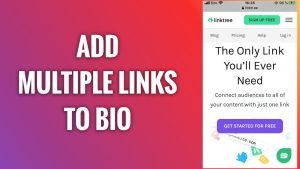
Instagram allows one primary hyperlink on your profile, make it count. Common choices: your course landing page, website, webinar signup, or a Linktree-style landing page aggregating multiple links.
Instagram now lets you add up to five links natively in your bio. You could, for example, list ‘Online Course’ and ‘Free Ebook’ as separate links without any third-party tool. Just make sure the first visible link is your top priority offer.
Keep it updated. If your bio still points to last year’s course or an expired webinar, you’re wasting traffic. Also measure its impact, low click-through despite high profile visits? Strengthen your CTA. Always ask: “Where do I most want to funnel my Instagram visitors?” and make that destination one click away.
2026 Update: Google & Bing Now Index Instagram Posts
New in 2026: Public professional Instagram accounts (for users 18+ with posts from January 1, 2020 onward) can now have their posts indexed by Google and Bing. This means your bio link and profile keywords aren’t just for in-app search anymore, they can appear in traditional search results too. Treat every caption and your bio text as micro-landing page copy optimized for both Instagram and search engines.
5. Organize Instagram Highlights for Online Courses and Testimonials
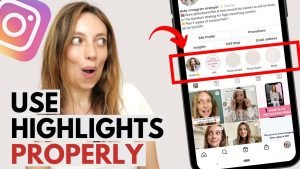
Instagram Story Highlights, those circles above your feed, are a fantastic way to extend the life of your Stories and curate important content on your profile. Think of them as chapters of your brand story, or a menu for visitors to explore beyond your bio.
Recommended highlight categories for eLearning brands:
- “Start Here” / “About”: A personal introduction or behind-the-scenes look at your teaching. Lets new visitors get to know you quickly.
- “Courses” / “Services”: Demo clips, pricing info, or enrollment steps for each offering. Even when you’re not actively posting about a course, the info is one tap away.
- “Testimonials” / “Student Wins”: Screenshots of reviews, success stories, or short video testimonials. Social proof is gold — this is one of the best ways to build trust with a potential student.
- “Tips” / “Tutorials”: Mini-lessons or how-tos related to your subject. They demonstrate expertise and act as a free sample of your teaching style.
- “FAQ”: Address common questions about your course or niche upfront. Saves you time answering DMs.
- “Community” / “Student Life”: Reposts of user-generated content, students sharing certificates, class selfies, project results. Demonstrates an active eLearning community.
- “Credentials” / “Achievements”: Awards, certifications, or student badges. If your academy issues micro-credentials, celebrate them here.
Pro tips: Keep highlights updated (remove outdated ones). Use on-brand cover icons designed in Canva. Aim for 5 strong highlights over 20 cluttered ones. In 2026, clear and concise highlight labels, not clever ones, perform better for discoverability.
6. Pin Key Posts and Curate Your Feed for First Impressions
Instagram allows up to three pinned posts at the top of your feed. Think of them as your profile’s homepage, they remain visible even as you add new content, giving you control over what new visitors see first.
Pin strategically using the Connect-Compel-Convert framework:
- Connect: An introduction post or video about who you are and who you help.
- Compel: A high-performing educational carousel or tip post that proves the quality of your content.
- Convert: A testimonial or promotional post pointing visitors to your bio link and main offer.
These three tiles can significantly impact whether a visitor follows you or inquires about your services. Optimizing pinned content has helped educators see direct jumps in follows and DMs, not by posting more, but by making the grid speak clearly to the right people.
Curate your overall feed: Aim for a cohesive visual style, consistent brand colors, fonts, and image style. When someone glances at your last 6-9 posts, they should immediately grasp your niche and content quality. Align what you post with what your bio promises.
Leverage Reels and carousels: These formats drive more reach than standard image posts. A 30-second educational Reel can attract new viewers from beyond your follower list. If they land on a well-optimized profile, they’re far more likely to follow and click your link.
7. Engage, Analyze, and Iterate (Keep It Fresh)
- Stay active and responsive: Post quality content consistently. Respond to comments and DMs. An active community on your posts reinforces your credibility and triggers Instagram’s algorithm to show your content more broadly.
- Monitor your analytics: Use Instagram Insights to track profile visits, website clicks, and reach. Identify which posts draw the most new eyeballs and replicate that format. A data-informed course creator Instagram strategy always outperforms guesswork.
- Audit quarterly: Review your bio, link, highlights, and profile picture every few months. Update your bio when you cross milestones (e.g., ’10k students taught!’). Refresh highlight covers if you rebrand.
- Study competitors through Instagram’s native Explore tab and professional tools like Later or Sprout Social for better audience insights.
- Maintain a professional-yet-friendly tone: People don’t want a stuffy academic vibe on Instagram. Be the supportive mentor, knowledgeable but approachable, in every profile element and caption.
Conclusion
Optimizing your Instagram profile is part of a broader strategy of leveraging social media for education. A polished profile will convert more visitors into followers or leads, but you still need valuable content and active engagement to keep them around.
Think of your profile as the storefront and your content as the products inside, both need to be appealing. When you pair a strong profile with consistent, quality content and real engagement, you create a virtuous cycle: more profile visitors become followers, and more followers become students or clients.
By following these steps, you’ve given yourself an Instagram profile makeover tailored for trainers, teachers, and eLearning brands. In 2026, with Instagram posts now indexable by Google and Bing, your profile isn’t just a social asset, it’s a search engine asset too. Implement these tips, track your results, and keep iterating.
Frequently Asked Questions
Should I use a Business or Creator account for an eLearning brand on Instagram?
Business is usually the better fit for eLearning brands and academies since it unlocks Insights, contact buttons, and ad tools. Solo instructors building a personal brand can use Creator instead — both give you the analytics and category label needed for discoverability.
What should I write in my Instagram bio as an online educator?
Follow the niche statement + credibility point + call-to-action formula. For example: state who you help, add a proof point (students taught, reviews), and end with a clear CTA like “Start your free lesson.”
How many links can I add to my Instagram bio?
Instagram now lets you add up to five links natively in your bio, so you don’t need a third-party link-in-bio tool anymore. Just make sure your top offer (course page, webinar signup) is the first link visitors see.
Are Instagram posts now searchable on Google in 2026?
Yes. As of 2026, public professional accounts (18+, posts from January 1, 2020 onward) can have their posts indexed by Google and Bing. This means your bio and captions now double as SEO copy, not just in-app content.
What Highlights should an eLearning brand or instructor use?
Focus on 5 strong categories instead of cluttering your profile: “Start Here,” “Courses,” “Testimonials,” “Tips,” and “FAQ.” Keep them updated and use clean, consistent cover icons.
How many posts can I pin to my Instagram profile?
Up to three. Use the Connect–Compel–Convert framework: one post to introduce yourself, one to showcase your best content, and one testimonial or promo pointing to your bio link.
How often should I audit or update my Instagram profile?
Review your bio, highlights, pinned posts, and profile picture quarterly. Update your bio whenever you hit a milestone, and refresh highlight covers if you rebrand.
Does a private Instagram account hurt eLearning marketing?
Yes, generally. A private account limits discoverability and blocks the new Google/Bing indexing benefit, since only public professional accounts qualify. For growth and search visibility, a public Business or Creator profile is the better choice.